Disclosure: Repenic supplied this Zigbee Smart Socket for review. The opinions and installation experience here are my own.
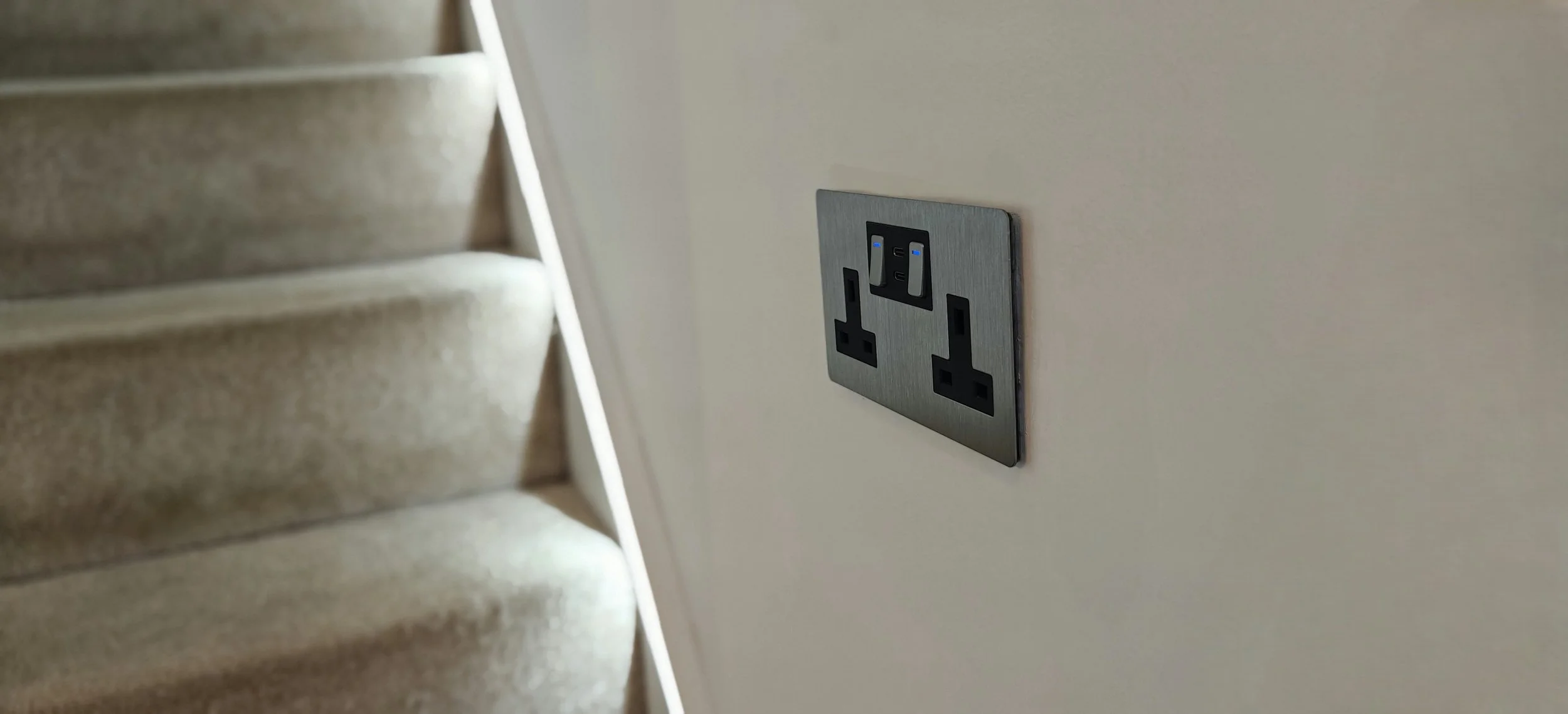
Next up in my Repenic review series is their Zigbee Smart Socket, and once again, there is plenty to like. I have been using the brushed stainless-steel double socket in my home, and it brings together a premium-looking faceplate, two individually controlled UK sockets, integrated USB-C charging and useful energy monitoring.
Smart double sockets are still a fairly limited category in the UK, so it’s great to see Repenic add a Zigbee model to the mix. The built-in USB-C ports make it an especially welcome addition, bringing smart control and everyday charging together in one unit.
Design and build quality
The brushed stainless-steel faceplate has a clean, premium appearance and feels well made. It is a practical layout too, the two UK sockets are individually switched, with a pair of USB-C ports between them. The socket controls are buttons rather than traditional rocker switches, and they have a satisfying feel. Once fitted, the faceplate clips into place, leaving the sockets and controls sitting neatly and flush.
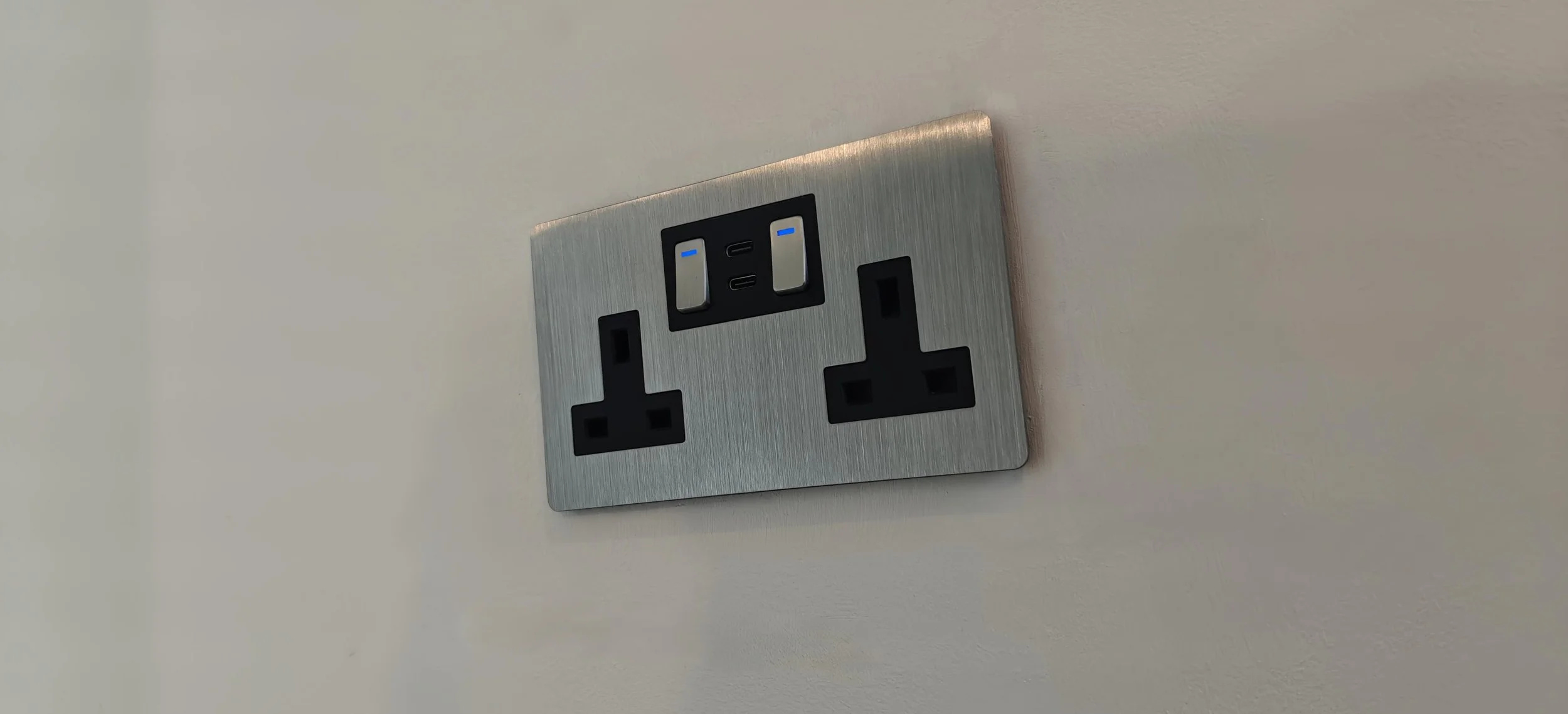
It is an attractive upgrade from a standard double socket, but the useful part is that the smart functionality is integrated into the same tidy form factor. Rather than adding a separate smart plug to each outlet, the two sockets are built into one fixed installation and can each be controlled and monitored in Home Assistant.
Installation and back-box fit
Warning: mains electrical work is dangerous and can cause serious injury or death. Installation of this fixed-wiring socket must be carried out by a competent professional, with the circuit safely isolated and the work completed in accordance with the supplied instructions and applicable regulations. Do not attempt this installation unless you are appropriately qualified and competent.
Installation was straightforward for my installer. The package includes a spacer to help accommodate a 25mm back box, and with that spacer the socket fitted my existing 25mm box. I was genuinely impressed: this is a double smart socket with two independently switched outlets, Zigbee electronics and USB-C charging, yet it fitted a shallow back box. I have used conventional double sockets with built-in USB charging that needed a considerably deeper box, despite having none of the smart features included here.
One wiring detail to be aware of is that the live and neutral terminals are together in the top corner. On a spur, there may be fewer conductors to accommodate, on a ring main, two cables at each terminal can mean four conductors gathered into a small area. That made the top corner of my back box a tight fit, so the existing wiring arrangement and available space should be checked by the competent installer before fitting.
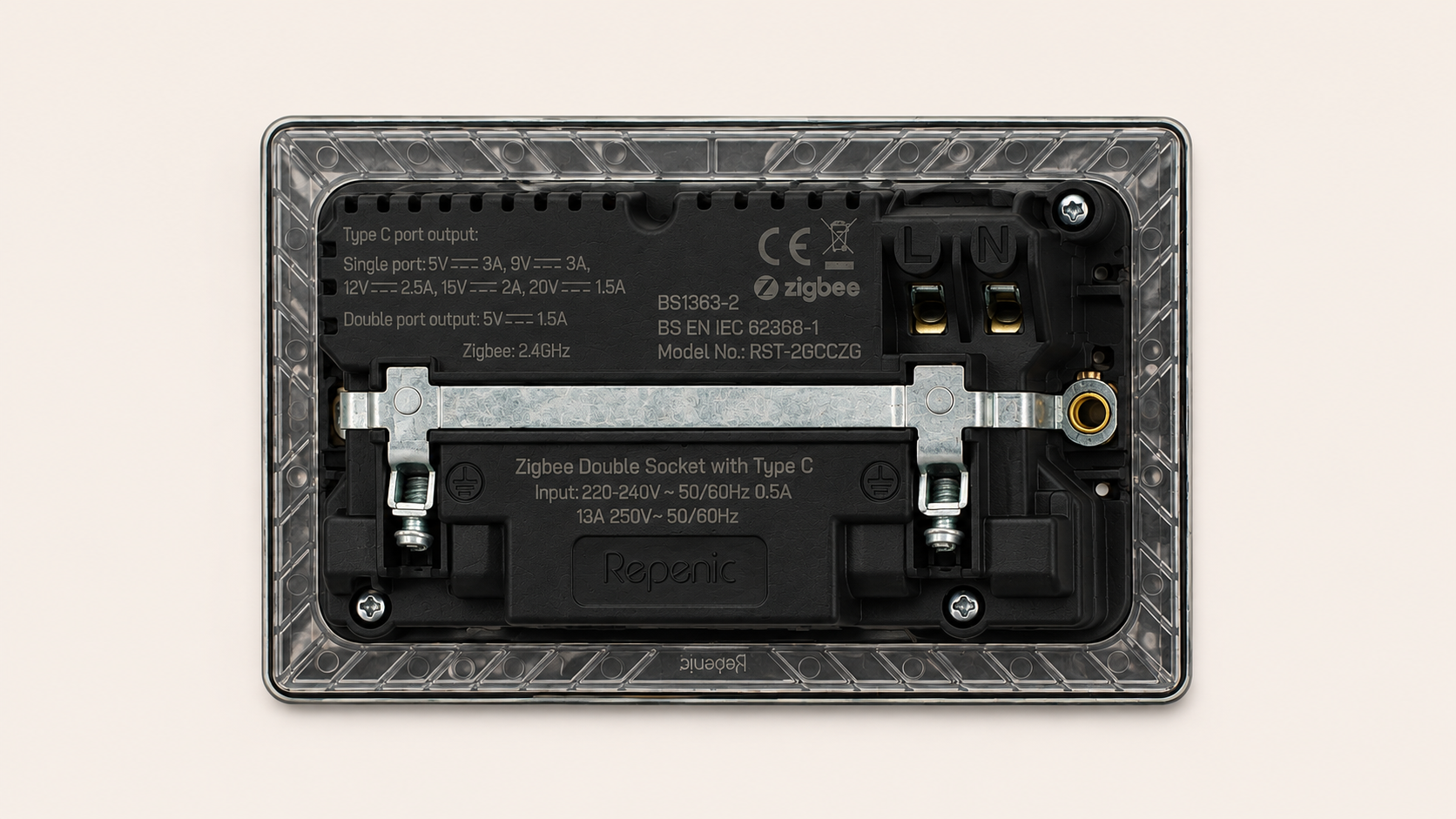
The image shows the Live and neutral terminals in the top corner with the Earth terminals on the metal band across the back of the socket.
Home Assistant pairing and controls
Pairing to my existing Zigbee coordinator in Home Assistant was practically flawless. I opened the Zigbee integration already running my network and started its add-device or permit-join process. As soon as pairing began, Home Assistant discovered the socket and brought it into the device list. It appeared almost immediately and completed the pairing without fuss.

From the Home Assistant Settings menu, go to “Connectivity”

Find the Zigbee option
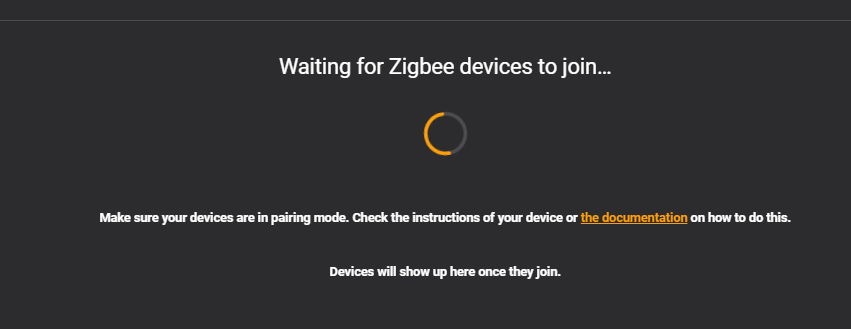
Then hit the “+ Add Device” button in the bottom right corner. The sockets will then be found as a new zigbee device.
Unlike the multi-gang toggle switch I reviewed previously here, this double socket appears as one Zigbee device. Within that single device page, Home Assistant presents separate controls for the left and right socket, so each outlet can be switched independently while still being managed together as one physical product.
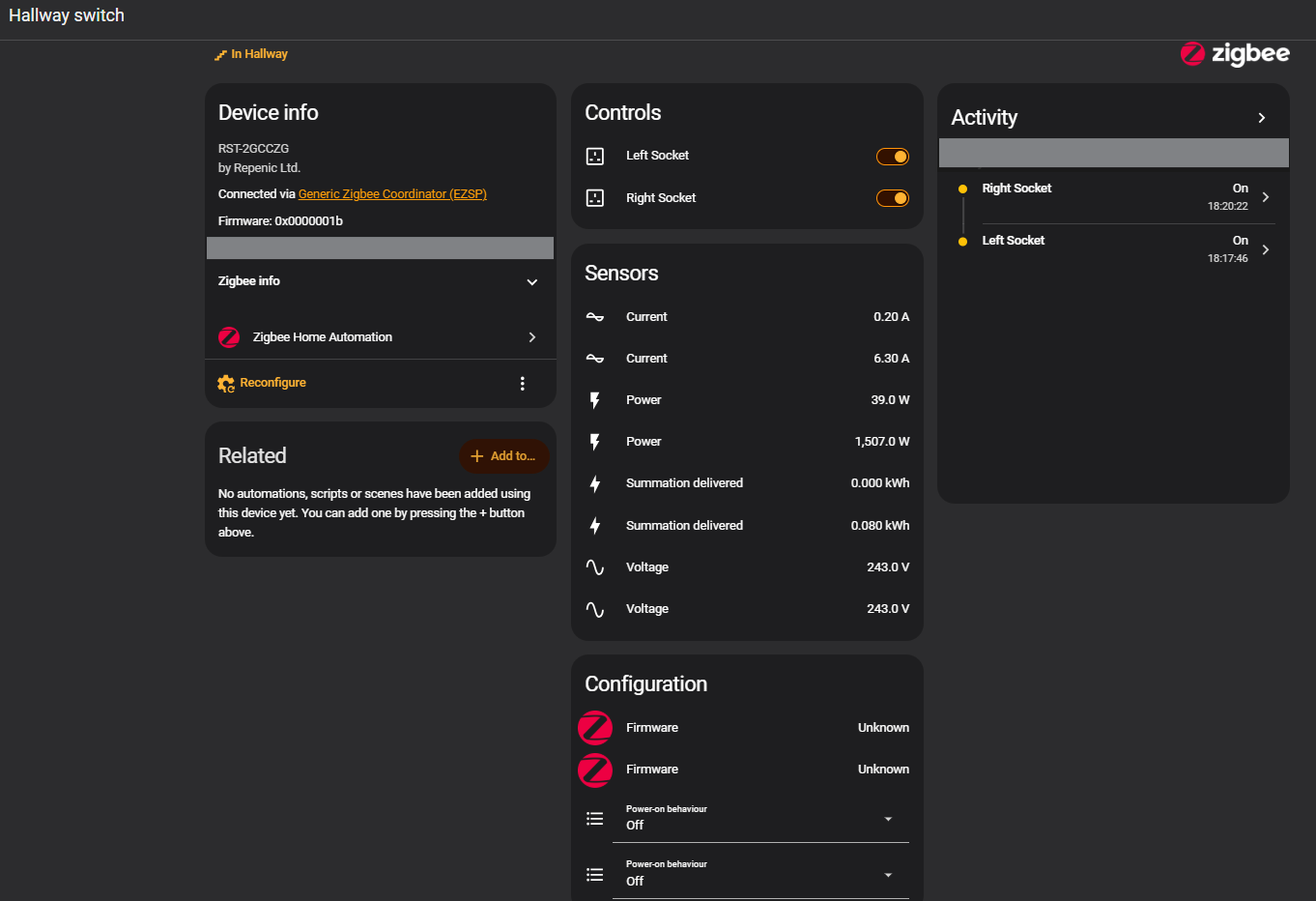
The screenshots show how useful the per-socket reporting is. Home Assistant exposes separate current, power, accumulated energy (“Summation delivered”) and voltage readings for each mains outlet, alongside the two socket controls and an activity history. That independent monitoring is handy when you want to understand what different appliances are drawing, rather than seeing one combined reading for the whole double socket. The energy reporting applies to the two mains sockets. The product specification states that USB-C charging use is not included in the energy monitoring.
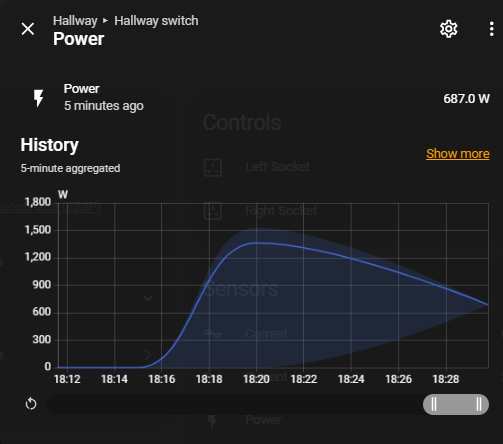
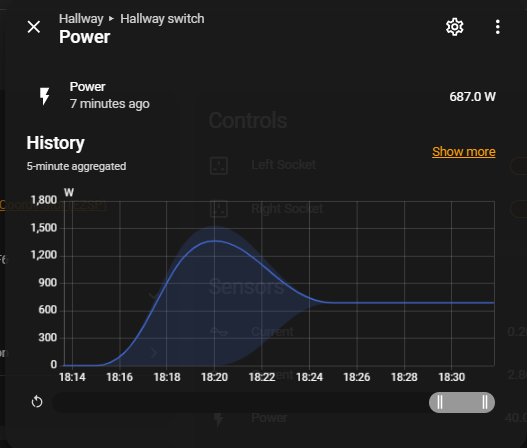
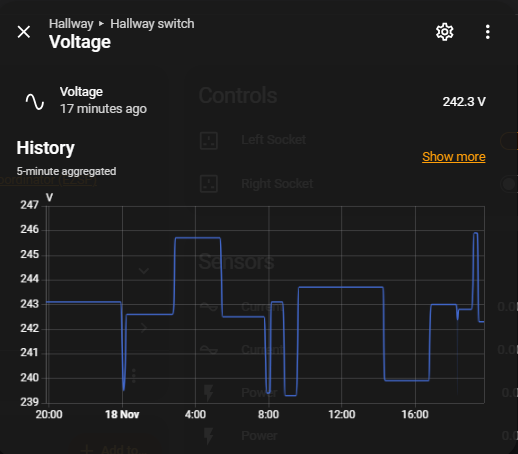
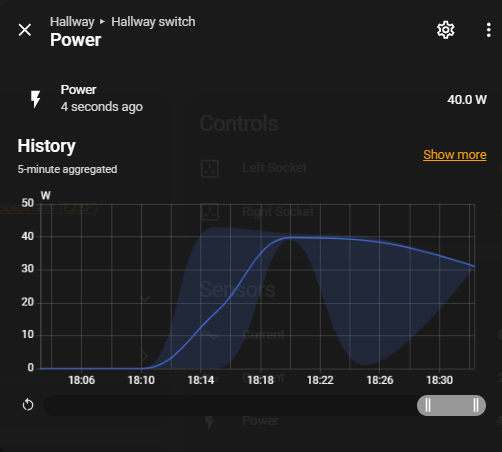
The power graphs show the readings changing over time, including a higher draw followed by a lower, steady load. They are a useful illustration of how the socket can show appliance usage in Home Assistant, with each outlet's readings kept separate.
Power-on behaviour after an outage
There is also a power-on behaviour setting for each socket. This lets you choose what that outlet should do when power returns after an interruption. For example, you may want a device on one socket to resume automatically, while a device on the other should remain off until you turn it on yourself. Being able to set this per outlet adds useful flexibility when the two sockets are serving different equipment.
As always, whether an appliance should restart automatically depends on the appliance and how you use it. Check its instructions before enabling automatic restart, especially for equipment that should not run unattended.
USB-C charging and product specifications
The integrated USB-C ports are a welcome extra and save a separate charging adapter from occupying one of the mains sockets. The product page lists up to 30W from a single USB-C port. If both USB-C ports are used at the same time, they share a lower 5V output. The two USB-C ports are for charging compatible devices and their consumption is not counted by the socket's per-outlet energy monitoring their power state is not controllable from within Home Assistant.
Repenic specifies Zigbee 3.0 connectivity, thermal protection, a maximum 13A load per socket and a maximum combined load of 16A across both sockets. It is designed for a standard UK back box, and its site lists Home Assistant and other compatible Zigbee platforms. Please check the product documentation and have a competent installer confirm suitability for your wiring, back box and intended loads.
Verdict
What impressed me most is how much functionality is packed into a socket that still looks clean and considered on the wall. The brushed stainless-steel finish looks great, the buttons feel good to use, and the supplied spacer helped it fit my existing 25mm back box. Pairing with Home Assistant was quick and painless, and seeing each mains outlet's controls and energy readings separately makes the smart features genuinely useful.
The crowded live and neutral terminals are worth planning for on a ring main, but that is a practical installation consideration rather than a flaw in everyday use. Once installed, having independent controls, energy monitoring and power-on settings for each socket makes this a capable addition to a Home Assistant setup.
Would I recommend it? Absolutely. If you are looking for a well-built, attractive double socket that adds Zigbee control, separate monitoring for each outlet and USB-C charging, I think this is a very compelling option.
Thank you to Repenic for supplying the socket for review. The experience and opinions in this article are my own.
You can find the socket on Repenic's website using my affiliate link. I may earn a commission from qualifying purchases at no extra cost to you.
